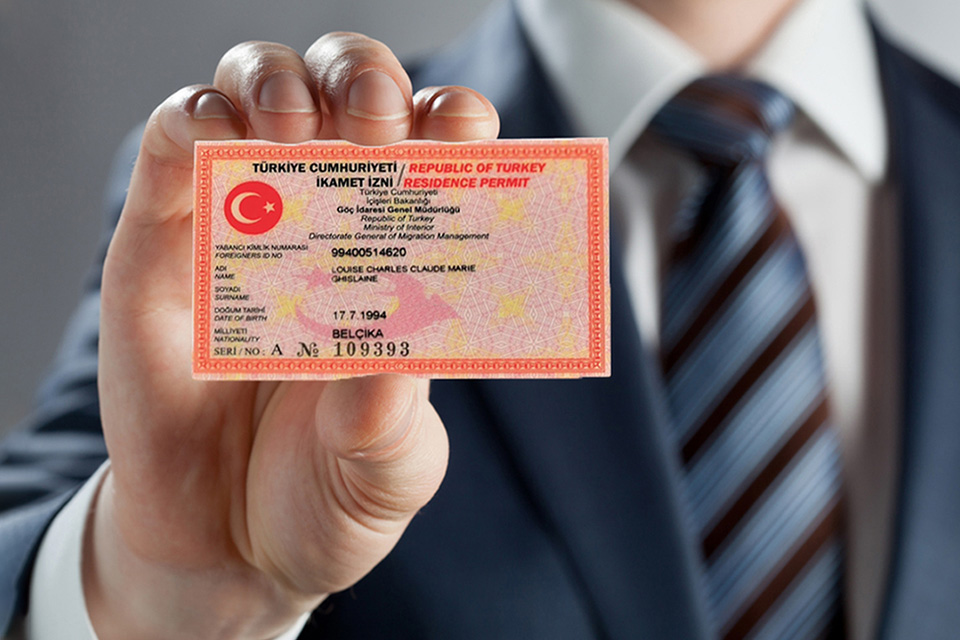

How to Get a Tax Number in Turkey: Guide for Foreigners
This article was updated on 18 November 2026
In this report we explain what a "tax number" is, why it matters, and how to register and get one.
The Tax Number
It is a 10-digit number that every foreigner living in Türkiye needs to obtain, because it is required for many transactions with government offices.
These transactions include:
1- Applying for a driving licence
2- Opening a bank account
3- Taking out insurance
4- Subscribing to services and utilities such as electricity, water, gas and the internet
5- Buying property
6- Obtaining a residence permit
7- Health services
8- Some notary and certification procedures
9- Renting an apartment
10- Obtaining a title deed (tapu)
11- Paying all types of taxes
12- Paying insurance premiums
Required documents and how to register
There are two very simple ways
Method one: online (Dijital Vergi Dairesi)
Through its "Digital Tax Office" website, the Turkish Revenue Administration (Gelir İdaresi Başkanlığı - GİB) offers a dedicated service that lets foreigners get a tax number without leaving home.
- Go to this link
- A page will open: Yabancılar İçin Potansiyel Vergi Kimlik Numarası Başvurusu
This means "Potential Tax Identification Number Application for Foreigners", i.e. the "tax number in Türkiye". Fill in the required details on it, which are:
- Your name: Adınız
- Your surname: Soyadınız
- Gender: Cinsiyetiniz
- Foreigner identity number: Yabancı Kimlik Numaranız
- Mother's name: Anne Adınız, and father's name: Baba Adınız
- Date of birth: Doğum Tarihiniz
- Place of birth: Doğum Yeriniz
- Country: Ülke
- Passport number: Pasaport Numaranız
- Passport expiry date: Pasaport Geçerlilik Tarihiniz
- Passport issue date: Pasaport Düzenleme Tarihiniz
- Mobile phone number: Telefon Numaranız
- Your address: Adresiniz.
- Then enter the security code (Güvenlik Kodu), tick the box confirming that the information is correct, and click the "BAŞVUR (APPLY)" button.
- Keep the tax number you receive and present it whenever it is needed.
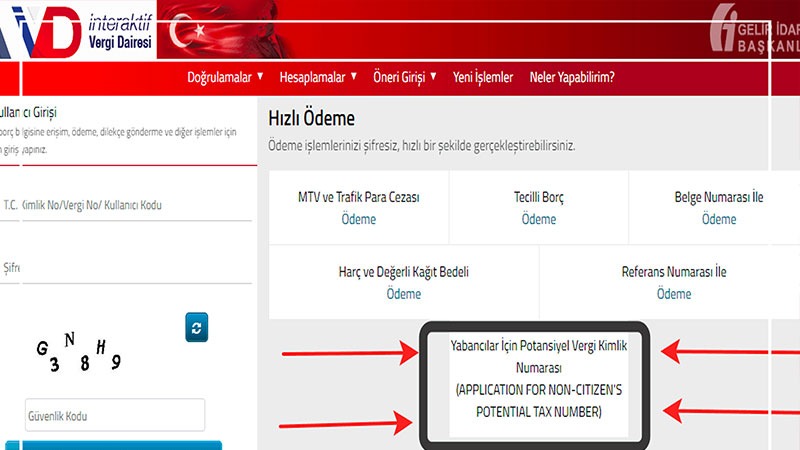

- If you lose or forget your tax number, you can look it up on the same Digital Tax Office website.
Here is how:
- If a tax number has already been assigned to your passport number, you can log in to the system and find it in the "Yabancılar İçin Potansiyel Vergi Kimlik Numarası Sorgulama" section under the "Doğrulamalar" (Inquiries/Verifications) menu.
Method two
Simply take your passport to the nearest tax office (Vergi Dairesi) for your area. The official will check your details and then give you your tax number.
Sources:
https://dijital.gib.gov.tr/foreigners/kimlikNoBasvuru
https://gib.gov.tr/en/references-and-resources/frequently-asked-questions